Helping you get the most from every customer interaction
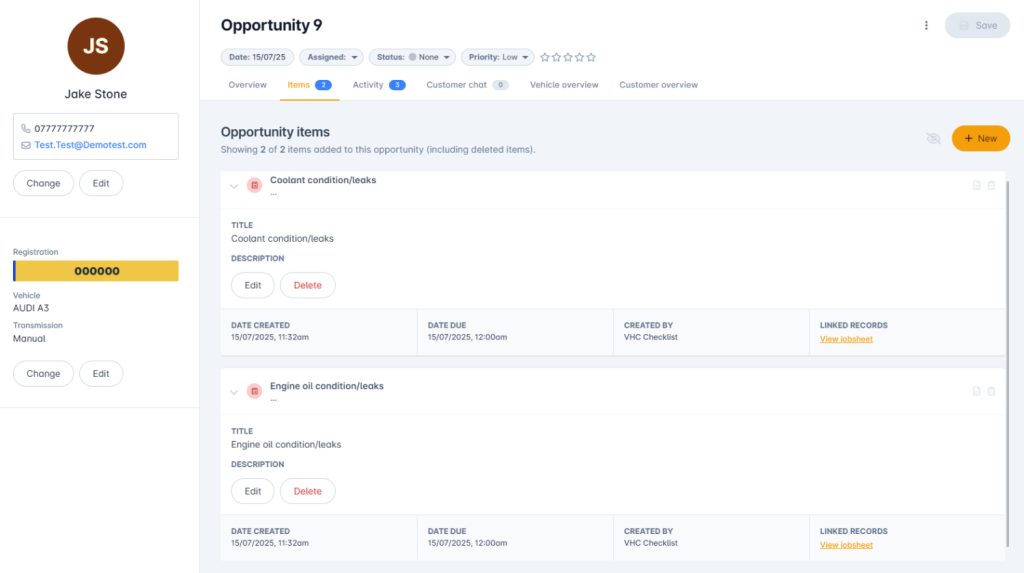
Capture future work from advisories and checks
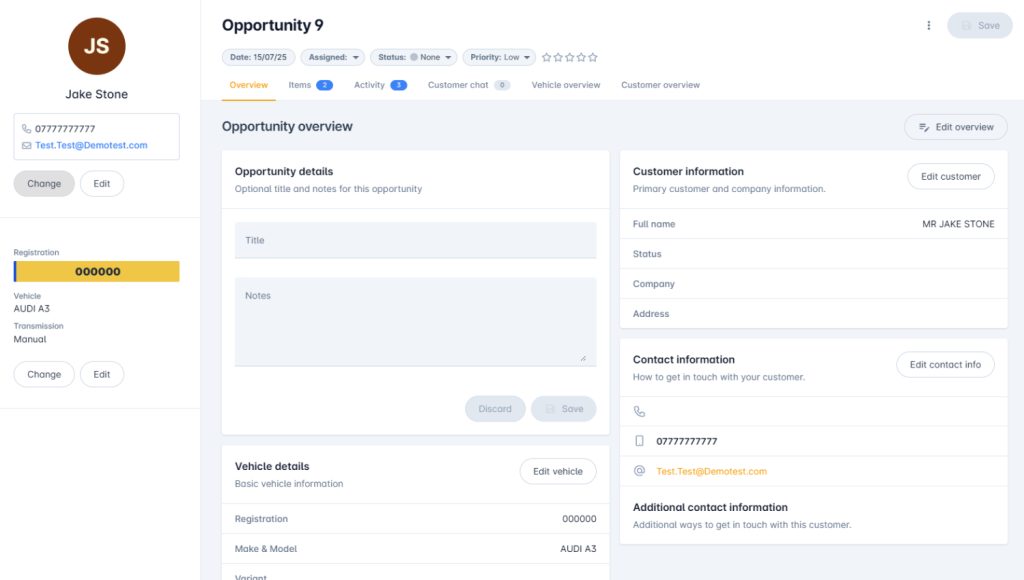
Track follow-ups with statuses, notes, and timelines
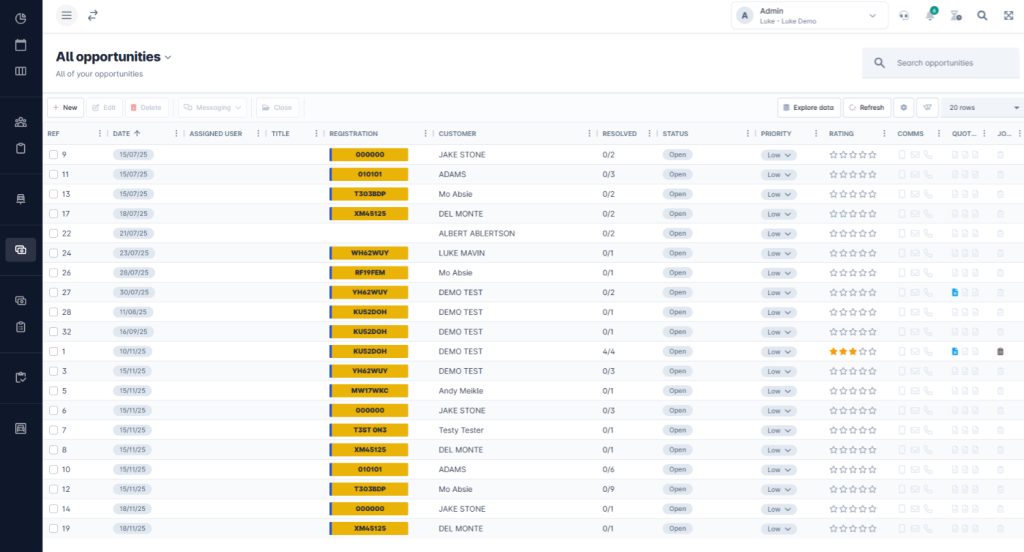
Filter and manage all opportunities in one grid view
Turn future work into confirmed bookings
Turn one-off visits into long-term customer value. With VGM’s Opportunities tool, you get more control over future workload, get more chances to upsell, and have more visibility into where the next job is coming from.
The Opportunity tool helps you stay on top of jobs that aren’t ready to book yet. The tool helps you log MOT advisories, VHC findings, and deferred repairs automatically so your team can follow up, quote, and get the job back in the diary.
You don’t have to rely on memory or sticky notes. Everything is tracked, visible, and easy to action.
Build a real pipeline from everyday work
As soon as you record a recommendation during a job, VGM turns it into an opportunity. No extra admin. The system picks up on advisories, health check items, and any other flagged work.
You can build and send quotes straight from the Opportunities screen. Once the customer accepts the quote, convert it into a job and drop it straight into the diary.
Your team gets a clear list of what is worth chasing, so nothing slips through the cracks.
Manage follow-ups like a sales pipeline
Track every opportunity like a live job. Set its status. Add internal notes. See every interaction on a timeline. Filter, sort, and search just like any other VGM grid.
It’s simple to keep on top of follow-ups and see exactly where things stand.